 FamKnit
Who can do what
Four kinds of person
| Kind | What it means |
|---|---|
| Child | A name and a colour, with no login. Added by an admin. Can be tagged on events, and the adults responsible for them are reminded on their behalf. |
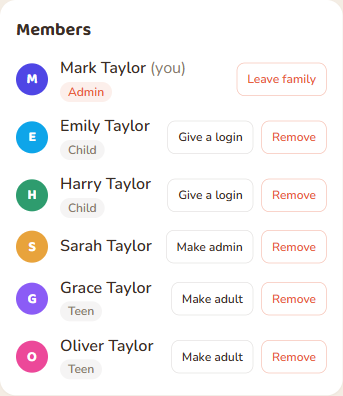
| Teen | A child who has been given their own login, for example when they get a phone. Can add their own events, to-dos and shopping items and gets their own reminders. Cannot manage the family. Giving a login always makes someone a teen. It is the admin's decision, and the admin must confirm the child is 13 or over and that they are the child's parent or legal guardian, or have their permission. |
| Adult | A person with a login who can be made an admin. Everyone who signs up or joins with an invite code is an adult. |
| Admin | An adult who manages the family: its members, roles, invites and settings. |
Being an admin is about running the family. It does not give access to anyone's private items, and it does not change what a teen can see or do.
Why an admin decides, not a birthday
FamKnit deliberately does not ask for or store anyone's date of birth, so it cannot tell how old anyone is. That is why the two steps are always an admin's decision, and why the first one asks you to say so:
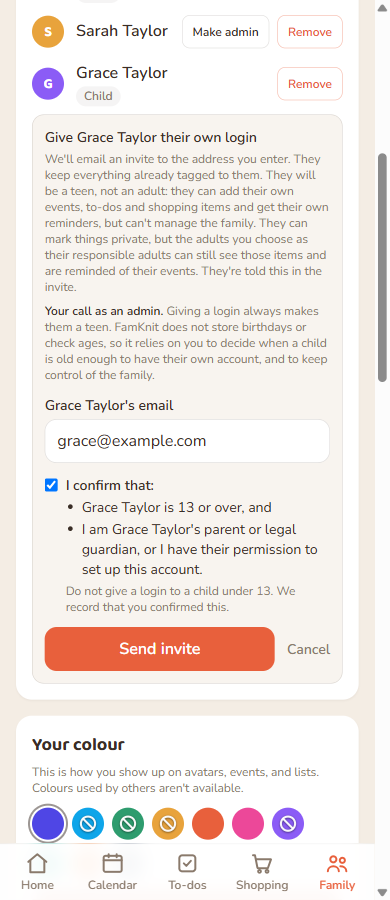
- Giving a login means confirming two things with one tick: that the child is 13 or over, and that you are their parent or legal guardian, or have their permission to set up the account. Send invite stays switched off until you tick it. FamKnit cannot check it, so it is your statement, and it is recorded in the family's security activity with your name and the date. Do not give a login to a child under 13. The Teen label itself means “has their own login but is still looked after by the family's adults”.
- Making a teen an adult is also yours to choose. Nothing happens automatically on a birthday.
This keeps control of the family with its adults, and means FamKnit holds no more personal data about your children than it needs.
The full table
If something is not listed as a Yes for a teen, the answer is No.
| Can they… | Child | Teen | Adult | Admin |
|---|---|---|---|---|
| Having an account | ||||
| Has their own login and device | No | Yes | Yes | Yes |
| Gets their own reminders and notifications | No. Their responsible adults are reminded for them. | Yes | Yes | Yes |
| Can be tagged on events | Yes | Yes | Yes | Yes |
| Can be assigned a to-do | No | Yes | Yes | Yes |
| Seeing things | ||||
| Sees the shared calendar, to-dos and shopping list | Has no login to see them | Yes | Yes | Yes |
| Sees another person's private items | Not applicable | No | No | No |
| Sees a teen's private items | Not applicable | Only their own | Only if they are one of that teen's responsible adults | Only if they are one of that teen's responsible adults. Being an admin is not enough. |
| Has adults reminded of their events on their behalf | Yes. It is the only way a child is reminded. | Yes, private events they created included | No | No |
| Their own things | ||||
| Adds, edits and deletes their own events, to-dos and shopping items | Not applicable | Yes | Yes | Yes |
| Edits or deletes someone else's event | Not applicable | No | No | No |
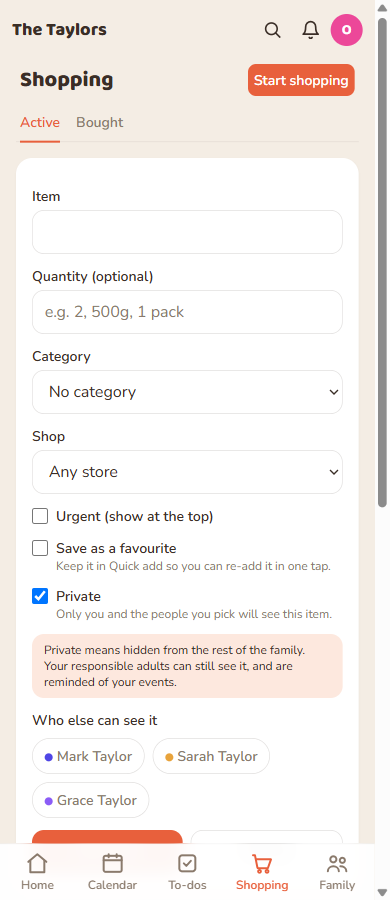
| Makes an item private | Not applicable | Yes, but their responsible adults can still see it | Yes, fully private | Yes, fully private |
| Assigns a to-do to someone else | Not applicable | Yes | Yes | Yes |
| Ticks off, moves or removes items on the shared shopping list | Not applicable | Yes | Yes | Yes |
| Uses Quick add and Favourites | Not applicable | Yes | Yes | Yes |
| Uses Smart Scan and voice (the family's shared monthly allowance) | Not applicable | Yes | Yes | Yes |
| Imports a calendar, subscribes to the calendar feed, uses the widget, watch or Alexa | Not applicable | Yes, with their own link and their own view | Yes | Yes |
| Changes their own preferences, theme and notification settings | Not applicable | Yes | Yes | Yes |
| Managing the family | ||||
| Renames the family | No | No | No | Yes |
| Invites an adult or rotates the invite code | No | No | No | Yes |
| Adds a child | No | No | No | Yes |
| Manages the list of shops | No | No | No | Yes |
| Removes a member | No | No | No | Yes |
| Changes someone's role | No | No | No | Yes |
| Gives a child their own login | No | No | No | Yes |
| Makes a teen an adult | No | No | No | Yes |
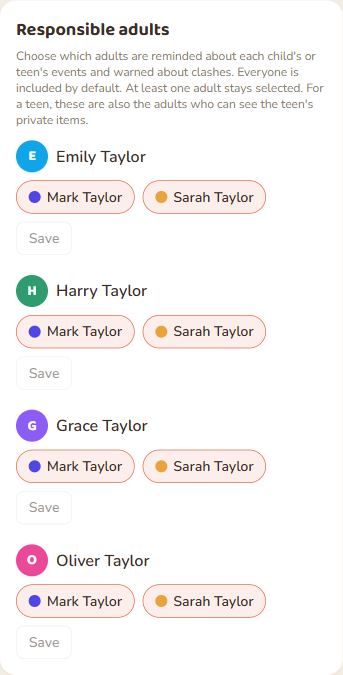
| Chooses a child's or teen's responsible adults | No | No | No | Yes |
| Starts deleting the family | No | No | No | Yes, and every other admin must approve |
| Reads the family's Security activity | No | No | No | Yes |
| Becomes an admin | No | Not until they are made an adult | Yes, if an admin promotes them | Already one |
| Their own account | ||||
| Leaves the family | Not applicable | Yes | Yes | Yes, unless they are the only admin |
| Downloads their own data | Not applicable | Yes, after a recent sign-in | Yes, after a recent sign-in | Yes, after a recent sign-in |
| Deletes their own account | Not applicable | Yes, after a recent sign-in | Yes, after a recent sign-in | Yes, after a recent sign-in |
Having an account
Has their own login and device
- Child
- No
- Teen
- Yes
- Adult
- Yes
- Admin
- Yes
Gets their own reminders and notifications
- Child
- No. Their responsible adults are reminded for them.
- Teen
- Yes
- Adult
- Yes
- Admin
- Yes
Can be tagged on events
- Child
- Yes
- Teen
- Yes
- Adult
- Yes
- Admin
- Yes
Can be assigned a to-do
- Child
- No
- Teen
- Yes
- Adult
- Yes
- Admin
- Yes
Seeing things
Sees the shared calendar, to-dos and shopping list
- Child
- Has no login to see them
- Teen
- Yes
- Adult
- Yes
- Admin
- Yes
Sees another person's private items
- Child
- Not applicable
- Teen
- No
- Adult
- No
- Admin
- No
Sees a teen's private items
- Child
- Not applicable
- Teen
- Only their own
- Adult
- Only if they are one of that teen's responsible adults
- Admin
- Only if they are one of that teen's responsible adults. Being an admin is not enough.
Has adults reminded of their events on their behalf
- Child
- Yes. It is the only way a child is reminded.
- Teen
- Yes, private events they created included
- Adult
- No
- Admin
- No
Their own things
Adds, edits and deletes their own events, to-dos and shopping items
- Child
- Not applicable
- Teen
- Yes
- Adult
- Yes
- Admin
- Yes
Edits or deletes someone else's event
- Child
- Not applicable
- Teen
- No
- Adult
- No
- Admin
- No
Makes an item private
- Child
- Not applicable
- Teen
- Yes, but their responsible adults can still see it
- Adult
- Yes, fully private
- Admin
- Yes, fully private
Assigns a to-do to someone else
- Child
- Not applicable
- Teen
- Yes
- Adult
- Yes
- Admin
- Yes
Ticks off, moves or removes items on the shared shopping list
- Child
- Not applicable
- Teen
- Yes
- Adult
- Yes
- Admin
- Yes
Uses Quick add and Favourites
- Child
- Not applicable
- Teen
- Yes
- Adult
- Yes
- Admin
- Yes
Uses Smart Scan and voice (the family's shared monthly allowance)
- Child
- Not applicable
- Teen
- Yes
- Adult
- Yes
- Admin
- Yes
Imports a calendar, subscribes to the calendar feed, uses the widget, watch or Alexa
- Child
- Not applicable
- Teen
- Yes, with their own link and their own view
- Adult
- Yes
- Admin
- Yes
Changes their own preferences, theme and notification settings
- Child
- Not applicable
- Teen
- Yes
- Adult
- Yes
- Admin
- Yes
Managing the family
Renames the family
- Child
- No
- Teen
- No
- Adult
- No
- Admin
- Yes
Invites an adult or rotates the invite code
- Child
- No
- Teen
- No
- Adult
- No
- Admin
- Yes
Adds a child
- Child
- No
- Teen
- No
- Adult
- No
- Admin
- Yes
Manages the list of shops
- Child
- No
- Teen
- No
- Adult
- No
- Admin
- Yes
Removes a member
- Child
- No
- Teen
- No
- Adult
- No
- Admin
- Yes
Changes someone's role
- Child
- No
- Teen
- No
- Adult
- No
- Admin
- Yes
Gives a child their own login
- Child
- No
- Teen
- No
- Adult
- No
- Admin
- Yes
Makes a teen an adult
- Child
- No
- Teen
- No
- Adult
- No
- Admin
- Yes
Chooses a child's or teen's responsible adults
- Child
- No
- Teen
- No
- Adult
- No
- Admin
- Yes
Starts deleting the family
- Child
- No
- Teen
- No
- Adult
- No
- Admin
- Yes, and every other admin must approve
Reads the family's Security activity
- Child
- No
- Teen
- No
- Adult
- No
- Admin
- Yes
Becomes an admin
- Child
- No
- Teen
- Not until they are made an adult
- Adult
- Yes, if an admin promotes them
- Admin
- Already one
Their own account
Leaves the family
- Child
- Not applicable
- Teen
- Yes
- Adult
- Yes
- Admin
- Yes, unless they are the only admin
Downloads their own data
- Child
- Not applicable
- Teen
- Yes, after a recent sign-in
- Adult
- Yes, after a recent sign-in
- Admin
- Yes, after a recent sign-in
Deletes their own account
- Child
- Not applicable
- Teen
- Yes, after a recent sign-in
- Adult
- Yes, after a recent sign-in
- Admin
- Yes, after a recent sign-in
Private items and a teen's responsible adults
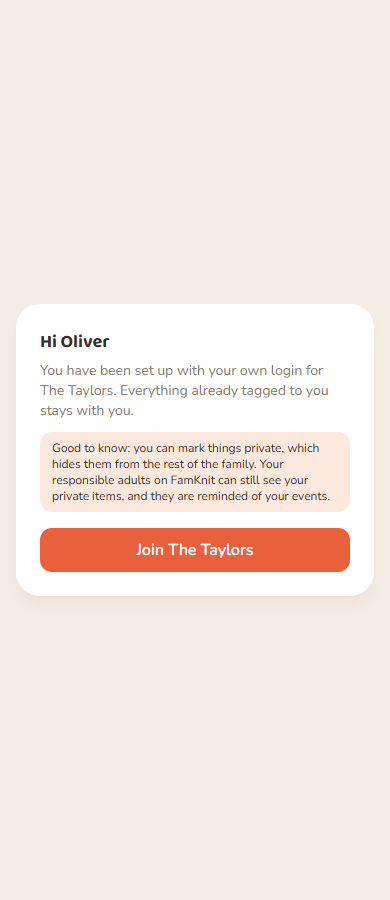
A teen can mark their own events, to-dos and shopping items private, and that hides them from the rest of the family, including their brothers and sisters. It does not hide them from the adults who are responsible for that teen, and those adults are also reminded of the teen's events. FamKnit tells the teen this in three places: the invite email, the invite page, and a note under every Private control.
- Who the responsible adults are. Every adult in the family, unless an admin narrows it for that teen. It is the same list that decides who is reminded about a child's events, on the Family tab under “Responsible adults”.
- An adult is never opened up this way. Only a teen's private items are visible to their responsible adults. An adult's private items stay private from everyone, admins included.
- An adult's private event that tags a teen is still private. The teen's responsible adults cannot see it, and are not reminded about it.
- When a teen becomes an adult, their private items become fully private and their responsible adults stop being reminded of their events.
Giving a child their own login
Admins only- On the Family tab, find the child and tap Give a login.
- Enter the email address the child will sign in with.
- Tick I confirm that the child is 13 or over and you are their parent or legal guardian, or have their permission, then tap Send invite.
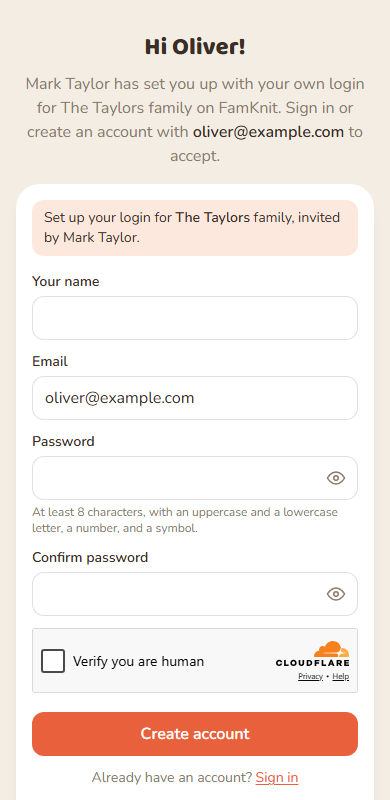
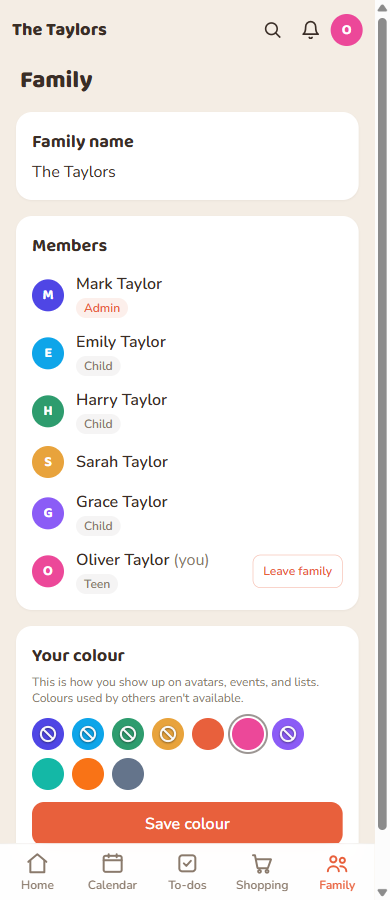
- They open the link in the email, sign in or create their login, and tap Join. They keep everything already tagged to them, and their name and colour stay the same.
The invite lasts 7 days, and is listed under your pending invites where you can resend or revoke it. A login can belong to one family at a time, so an email that is already in another family cannot be linked.
Making a teen an adult
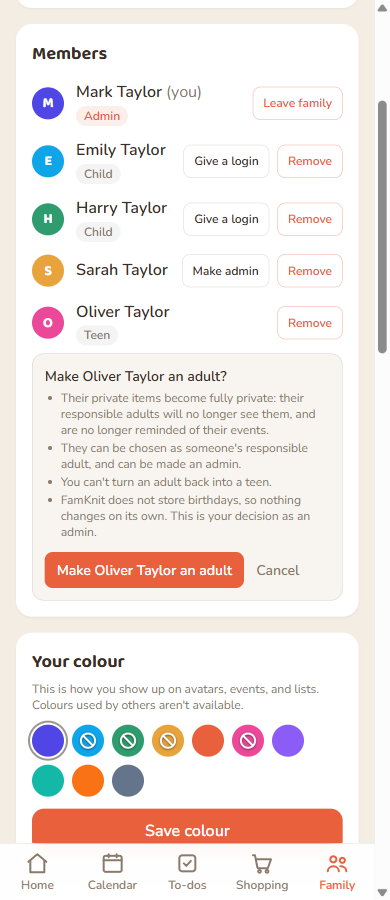
Admins onlyWhen a teen is ready, tap Make adult on their row and confirm. There is no birthday stored and nothing changes on its own, so it is always your decision.
- Their private items become fully private and their responsible adults stop being reminded of their events.
- They can be chosen as someone's responsible adult, and you can make them an admin.
- You cannot turn an adult back into a teen.