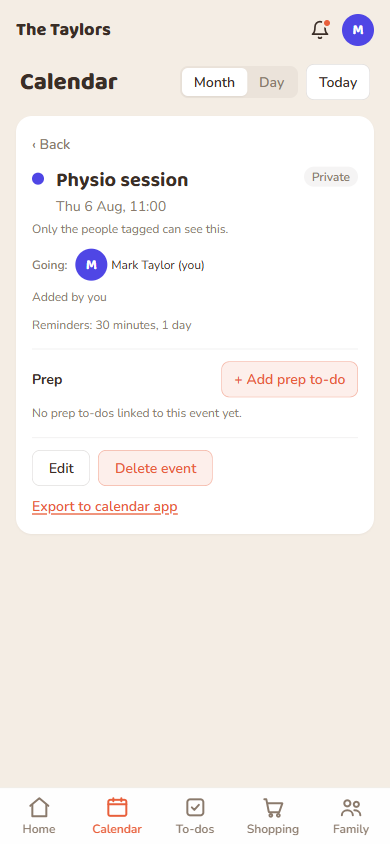
Every event, to-do, and shopping item in FamKnit follows the same three-step logic:
Is this a whole-family thing, or just for certain people? This is the shared/private choice on events, and the private checkbox on to-dos and shopping items.
If it's shared, who's actually involved? On events, that's who you tag. On to-dos, that's who it's assigned to.
Can I make just this one item private, even on a shared list? Yes, a private to-do or shopping item sits inside the family's shared list, visible only to the people you choose, while everything else on the list stays visible to everyone as normal.
How it works out per content type
Content
Default (nothing changed)
Made private
Audience when private
Event
Visible to whole family
Toggle “Private”
Whoever you tag (you're always included)
To-do
Visible to whole shared list
Tick “Private”
You + whoever it's assigned to
Shopping item
Visible to whole shared list
Tick “Private”
You + whoever you pick from the chip list
A private event: “Only the people tagged can see this.”
Worked examples
Planning a surprise party: make the event private and only tag the people in on it.
A doctor's appointment only one parent needs to see: private event, tagged to just that parent.
A gift on the family shopping list: add it as normal, then mark just that item private and pick who else can see it.
Good to know:Admins manage the family and its members, but being an admin does not give access to anyone else's private events or items. There is one exception, and it is about teens rather than admins: a teen's responsible adults can see the teen's private items and are reminded of their events, and the teen is told so. See Who can do what.
 FamKnit