 FamKnit
Importing your calendar
What this is for
If you already keep a calendar somewhere else, in Samsung Calendar, Google Calendar, Apple Calendar or Outlook, you don't have to type it all into FamKnit again. Import brings those events across, and you choose exactly which ones come.
It runs only when you ask it to. FamKnit doesn't watch your other calendar, doesn't check it in the background, and never changes or deletes anything in it. The events you bring across are copies.
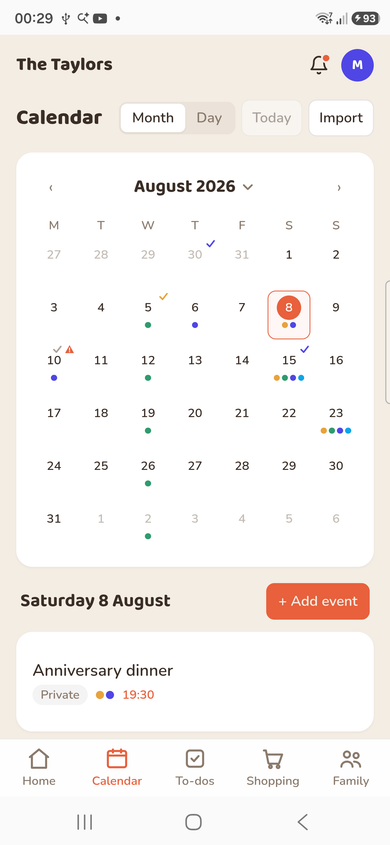
Two ways in
Which one you use depends on the device you're on. They end up in the same place, with the same review list and the same choices.
| Route | Where it works | What it reads |
|---|---|---|
| Scan this phone's calendar | The FamKnit phone app only | Whatever calendars your phone already has: personal, work, birthdays. A web browser can't see them, so this option isn't offered on the website. |
| Upload a calendar file | Anywhere: a computer, or a phone the FamKnit app doesn't cover yet | A .ics file you export from Google Calendar, Apple Calendar or Outlook. The file is read on your own device and isn't uploaded anywhere. |
Scanning your phone
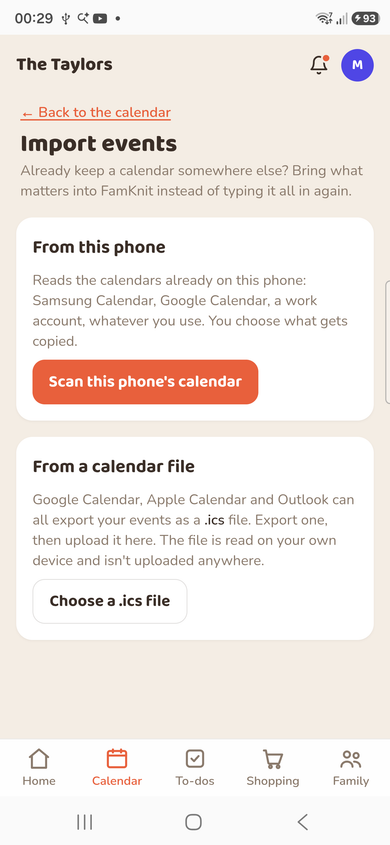
- Open the Calendar tab in the FamKnit app and tap the import button next to Today.
- Tap Scan this phone's calendar. The first time, FamKnit explains what it's about to read, and then Android asks you to allow calendar access.
- Pick which of your phone's calendars to look at. Ones you've hidden on the phone start switched off.
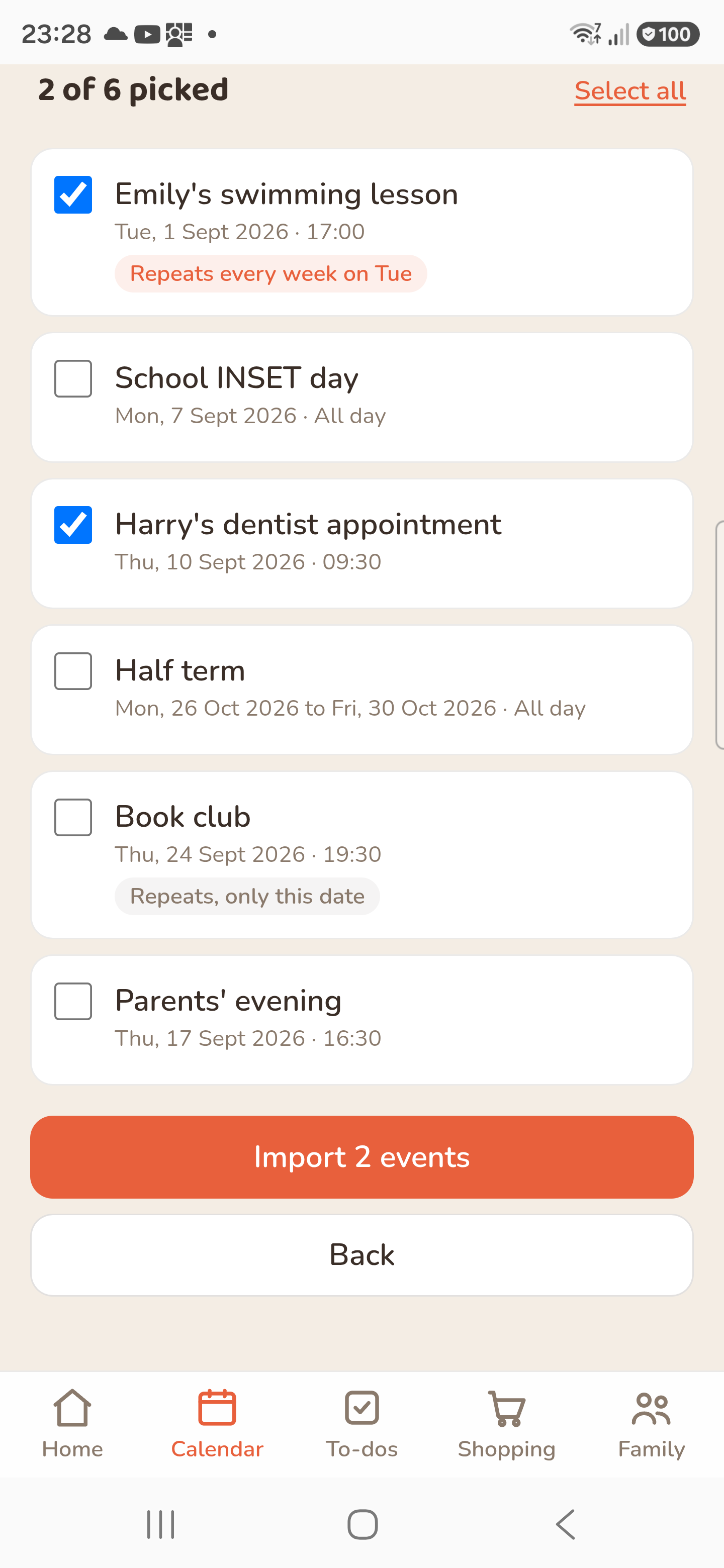
- Tick the events you want, then tap Import.
If you said no to the permission and changed your mind, Android won't ask a second time. Open your phone's Settings, find FamKnit under Apps, open Permissions, and allow Calendar. Then come back and try again.
Uploading a file
Every big calendar app can export your events as a .ics file. Roughly where to look:
- Google Calendar (on a computer): Settings → Import & export → Export. You'll get a zip; unzip it and you'll find one .ics file per calendar.
- Apple Calendar (on a Mac): pick the calendar, then File → Export.
- Outlook: open the calendar, then Save Calendar / Export.
Then open Import in FamKnit, choose Upload a calendar file, and pick the .ics you exported.
Who sees what you import
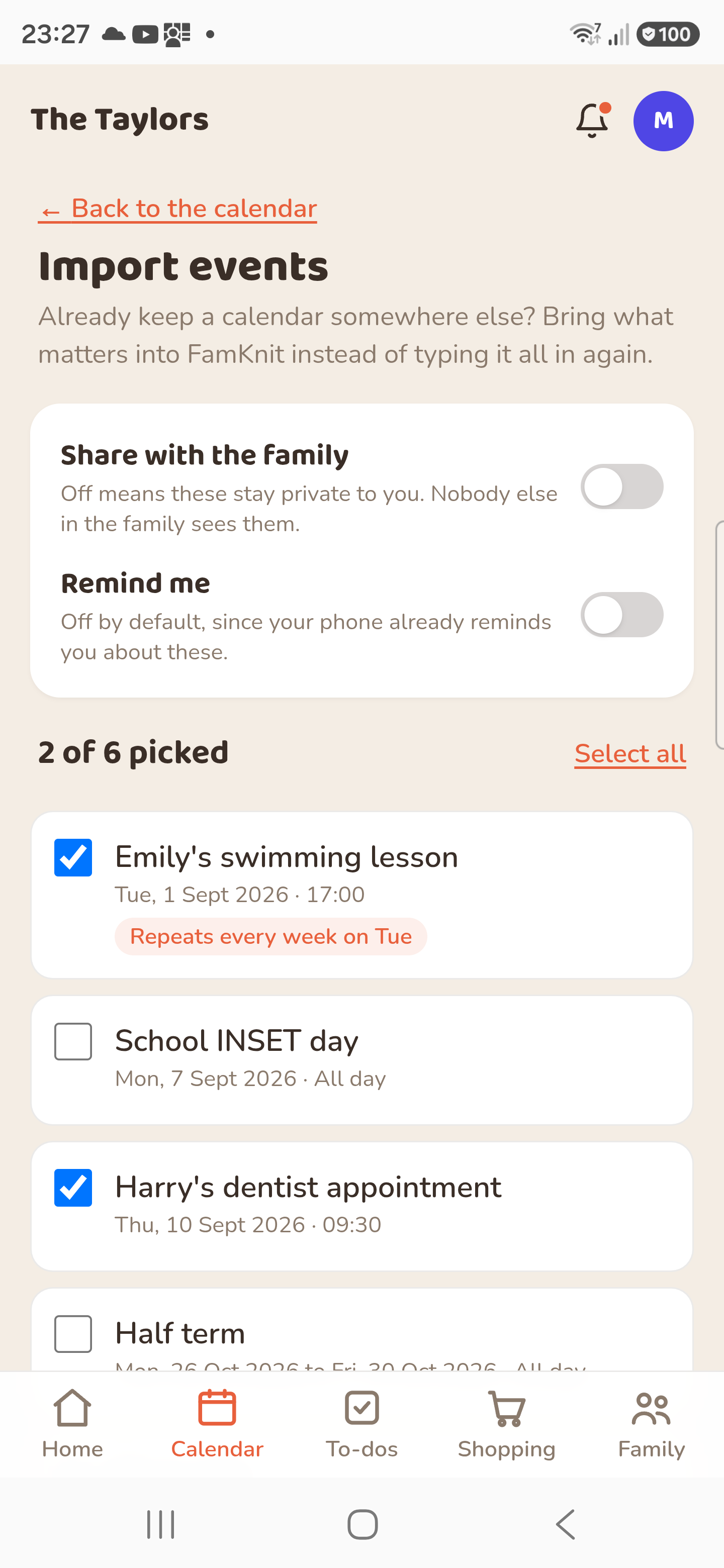
Imported events are private to you by default. Nobody else in your family sees them, because a personal phone calendar tends to hold work meetings and appointments that aren't family business.
If you do want them on the family calendar, switch Share with the family on before you import. That applies to the whole batch, so if only some of them should be shared, import in two goes, or import them privately and change the ones you want afterwards.
Reminders are off unless you ask
Imported events don't come with reminders. Your phone is almost certainly already reminding you about them, and getting a second set from FamKnit for a whole year's worth of events at once is more irritating than useful.
If you'd rather have them, switch Remind me on before importing and they'll use your usual reminder times. You can also add a reminder to any single event afterwards by editing it.
Repeating events
Something that repeats, like a weekly swimming lesson or a monthly club, comes across as a proper repeating event in FamKnit, on one line in the list with its pattern shown next to it. It keeps going into the future the same way an event you created here would.
Occasionally a pattern is one FamKnit can't describe, and "the last Friday of every month" is the usual culprit. The same goes for a series that's had a date moved or cancelled. Those come across as individual events instead, and the list tells you how many dates that is. Nothing is lost; it just won't carry on generating new dates by itself.
Importing again is safe
You can import as often as you like. Anything already brought across is marked Already in FamKnit and can't be ticked, so scanning the same phone twice, or uploading the same file twice, won't give you two of everything.
Two things worth knowing. If you imported something and then deleted it in FamKnit because you didn't want it, it will show up again next time as an ordinary event you can leave unticked. And if you change an event in your phone's calendar after importing it, the FamKnit copy doesn't change with it. Edit it here as well, or delete it and import again.
What doesn't come across
- Guest lists and invitations. FamKnit tags your own family members instead.
- Meeting links, attachments, and anything your work calendar adds beyond the title, description and location.
- Events that were cancelled in the calendar you're importing from.
- Anything outside roughly the last three months and the next year, which is the window the import looks at.