 FamKnit
Your account & data
Password & security
| Situation | What happens |
|---|---|
| Changing an existing password | Settings asks for your current password first, so someone who picks up your unlocked phone can't take the account over. You then get a security email confirming it changed, and every OTHER signed-in device is automatically signed out as a precaution. This device stays signed in. |
| You've forgotten your password | Use “Forgot password?” on the sign-in screen. The emailed link lets you set a new one without knowing the old one, because opening it already proves the mailbox is yours. Each link works for one change. |
| Adding a password to a Google-only account | Settings shows “Set a password” instead, with no current password to type, because there isn't one yet. You get a confirmation email, but no other devices are signed out: you're only adding a login method, not changing one. |
“Confirm it’s you”
A few actions ask you to confirm who you are before they run, even though you’re already signed in: downloading your data, deleting your account, leaving or deleting a family, and removing someone from one. If you signed in a while ago, a small “Confirm it’s you” box appears and asks for your password. Once you confirm, the thing you clicked carries on by itself.
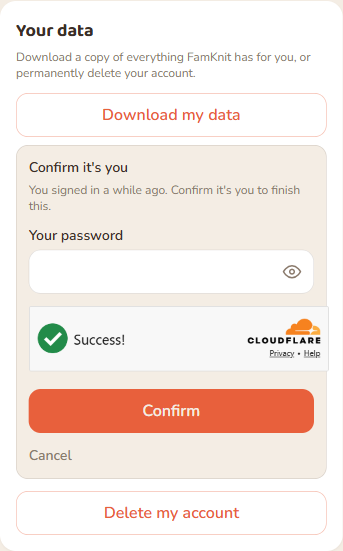
If you sign in with Google, the box sends you to Google instead. You’ll come back to the same page afterwards and can start the action again. If you’ve turned on two-step verification (below), the box asks for a code from your authenticator app instead, whichever way you sign in, and the action carries on straight away.
Two-step verification
Two-step verification is optional and off by default. When it’s on, signing in also asks for a six-digit code from an authenticator app on your phone, so a stolen password alone isn’t enough to get in. It works the same whether you sign in with a password or with Google. Any authenticator app works, such as Google Authenticator, Microsoft Authenticator or Authy, and password managers like 1Password and Bitwarden can do it too.
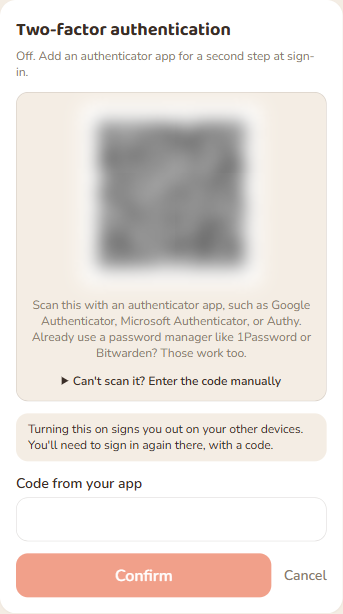
- Turn it on in Settings under Two-factor authentication. Scan the QR code with your authenticator app, or choose “Can’t scan it?” to type the setup key in by hand, then enter the code it shows.
- Turning it on signs you out on your other devices. You’ll sign in there again, with a code.
- Right after you turn it on, FamKnit shows ten recovery codes once. Save them somewhere safe: we can never show them again.
- When you sign in, you’ll be asked for a code after your password (or Google). If you already used a code in the last 30 seconds, wait for the next one.
- The most serious actions (deleting your account or family, leaving a family, removing someone, downloading your data) ask for a fresh code even if you signed in recently.
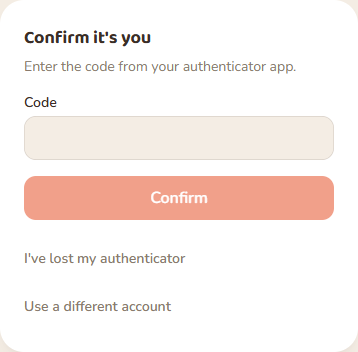
If you lose your phone: on the code screen, choose “I’ve lost my authenticator” and enter one of your recovery codes. Each code works once. Using one turns two-step verification off, so you can sign in and turn it on again with a new authenticator. You’ll get an email whenever that happens, and family admins can see it in the security activity log. Turning it off, or adding another authenticator, also sends you an email.
Downloading your data
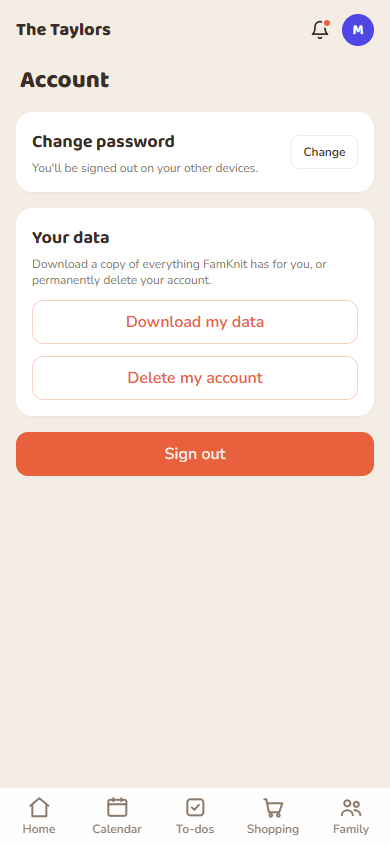
Settings has a “Download my data” button that gives you a copy of everything associated with your account, as a file you can keep.
Deleting your account
Settings also has a “Delete my account” button, for good. Opening it checks what it actually affects before showing you anything: if you’re the only admin, it names who takes over in your place, or tells you plainly that the whole family goes with you if you’re the last adult left on it, naming any teens who would lose access and saying that making one of them an adult first would keep the family going. It also explains that every event, to-do and shopping item you created is deleted, including events other family members are tagged on, and that a shared list or recurring event you made instead stays with the family, reassigned to whoever ends up admin, so nobody else’s items disappear with it.
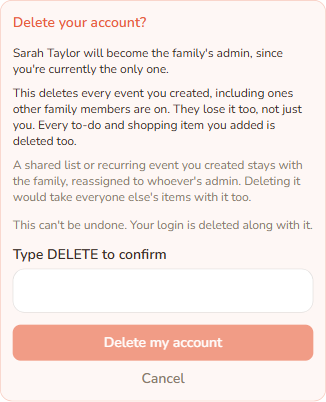
Nothing happens until you type DELETE into the field, exactly, and press the button.
Security activity log
Separately from your own data, FamKnit keeps a security log of significant account and family actions: who did them, when, and (not shown on screen) the email address and IP address they came from. Family admins can see a redacted version, with no email or IP, from the Family tab (see Your family). Entries are kept for 365 days, including after an account is deleted, so a security question can still be answered afterwards. See the Privacy Policy for the full explanation.
Leaving a family vs deleting your account
These sound similar but are very different:
| Leaving a family | Deleting your account | |
|---|---|---|
| Your FamKnit login | Kept: you land on the join-or-create screen. | Removed entirely. Permanent. |
| Private to-dos/events you made | Deleted | Deleted |
| Shared content you made | Reassigned to the current admin | Reassigned to the current admin (kept so others aren't affected) |
| If you're the last admin, others remain | Blocked: promote someone else first | Never blocked: auto-promotes the next-longest-standing adult |
| If you're the last adult and only children or teens remain | The family is deleted. Any teens are emailed that it closed. They are not signed out, and their logins stay, so the next time they open FamKnit they can create or join a family. To keep the family going, make a teen an adult first. | The family is deleted. Any teens are emailed that it closed. They are not signed out, and their logins stay, so the next time they open FamKnit they can create or join a family. To keep the family going, make a teen an adult first. |
| Can you undo it? | Yes, rejoin any time with the invite code | No |